

When traveling a lot it is very important for me to remain connected. I don’t like to rely on hotel WiFi. It is usually VERY slow. In fact, the last hotel that I stayed in offered free WiFi at the rate of 512k. Oy!! That is painful when I am used to having a 50mb down broadband connection at home, or a 5mb-10mb connection on my phone. Also, hotel and conference WiFi networks can get saturated when the place is full of others also connecting to the network. This can mean that either you cannot connect at all, or your connection may be very slow and unstable. For these reasons I like to carry my own WiFi hotspot. I prefer a stand-a-alone WiFi hotspot versus using that feature on my phone because then my phone is not tied up, and if I am traveling with someone or have a roommate I can loan them the hotspot without giving up my phone.
AT&T is a reliable name in the cellphone market. Their coverage map spans most of the US. When looking for a portable hotspot you want to choose one that includes coverage where you will travel. It would be useless to have a hotspot that won’t connect where you are.

The AT&T Unite Pro is a mobile hotspot (or MiFi) that keeps you connected when on the go.
The Netgear Unite Pro Pluses
Connect Multiple Devices: While most other WiFi hotspots allow you to connect 5- 8 devices the Netgear Unite Pro allows you to connect up to 15 devices. That is plenty to run a business meeting, or just share with your friends when out to lunch. But remember, the more devices connected the faster you will run through your data.
Long battery life: The Unite Pro can get up to 16 hours of use on a single charge. I have noticed that I hardly ever have to charge it. This is nice because I know that it will always be charged and ready in my bag.
Useful Display: With the built-in touch display you will know exactly how much data you have used on your plan, how many days you have left, and how much battery life you have left. You can also control various options for the device.
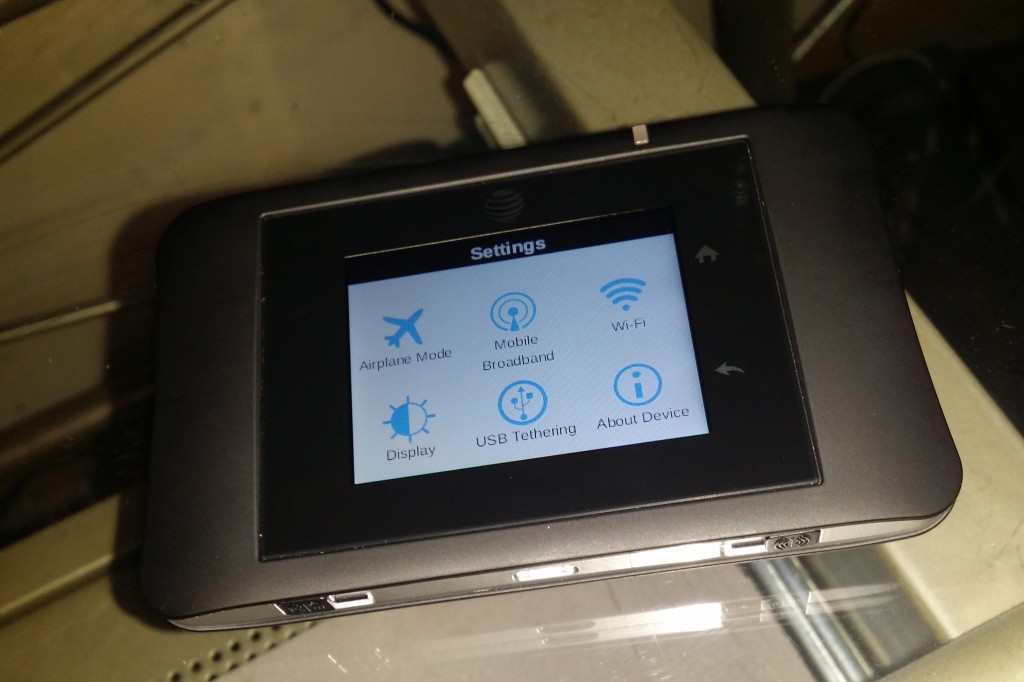
Smartphone Charging: With the included BatteryBoost cable you can charge your smartphone when needed.
Dual-Band Wi-Fi: Like many newer home routers, the Unite Pro broadcasts at both 5GHz and 2.4GHz. Most routers or hotspot devices broadcast at 2.4Ghz, so if your device is compatible you can connect via 5GHz which means you will have less interference from surrounding networks and devices, and therefore a stronger connection.

The Netgear Unite Pro Cons
The only con that I can come up with is that the AT&T data plans are pretty expensive. A 5gb data plan will set you back $50 per month. Overage fees are $10.00 per 1 GB. And depending on what you are doing data can go fast. When testing, I used up the 1gb of data that I was allowed in 2 days.
Overall I was very happy with the performance and the connection. I used it here in the Chicago area and in Las Vegas while attending CES. It worked very well. I now keep the Unite Pro in my purse or bag whenever I am out just in case I need it.
Disclosure: The AT&T Unite Pro and 5gb of service were provided to me in exchange for this review. All opinions are my own.

Leave a Reply