
Does your world revolve around social media messages? How many different platforms do you keep up with? Between Facebook, Twitter, Google Plus, Instagram, Vine, and Linkedin depending on how social media popular you are you may be overwhelmed with messages from day to day.

MessageHub aims to help you keep track of all of your messages by consolidating them into one place. MessageHub is a new app for iOS and Android that helps you keep in touch by simplifying the way you communicate with your friends. The app pulls all of your social network, email, and chat messages into one place.
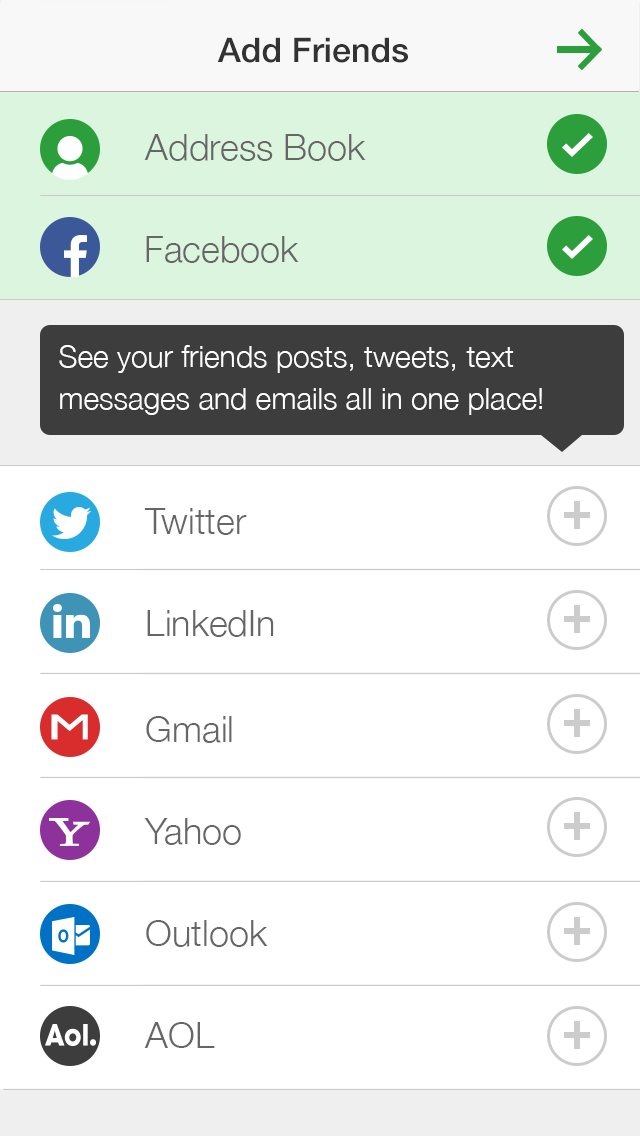
When installing the app, it gives you the opportunity to connect several accounts. As of right now, you can connect:
- Gmail
- Yahoo
- Outlook
- AOL
You can also connect your local device Address Book, which helps you keep in touch with your contacts. I’m sure that as they develop the app more, more social networks will be added.
MessageHub provides a screen to view posts from everyone. There is also a tab for Conversations, which shows you a collection of posts, or status messages that you have participated in with friends.

Useful Features
See all messages in one place: If you want a quick glance of all of your messages with a contact, MessageHub allows you to view them all in one place.
Create a Group: Planning a trip with 5 friends? Create a group to see all associated messages with those friends in one place.
Share to more than one social account: See a tweet that you want to share? Click on the Share button and you an select to share to Twitter, Facebook, Linkedin, or even directly to a contact.
Bugs
The product is still very new and definitely needs some tweaking. I had some trouble getting the iOS version setup and working correctly. It did not seem to want to connect to my Gmail account. Plus the conversations that it chose to showcase just seemed to be random. Only 2 of the 5 people it chose are actually ones that I communicate with often.
In Closing
If you are one of those people that can become easily overwhelmed by social media and the amount of apps to keep up with on your mobile device, you may love MessageHub. It allows you to use only one app throughout the day to keep up with specific friends on social media. This is a great way to weed out the noise and read only the posts form those that you really want to keep up with.
Right now I’m leaning towards liking the Android version more than iOS. However, I was using it on my iPod touch, so there are no SMS services available to see if that makes a difference in how the app functions. On my Android device I was prompted to set MessageHub as my default SMS app.
MessageHub is available for free in the Apple App Store or Google Play Store. Visit the MessageHub website for more information.
Disclosure: This is a sponsored conversation written by me on behalf of MessageHub. The opinions and text are all mine.
